Thanksgiving Dot to and Dot Marker Activity Book: From Files to Finished Project
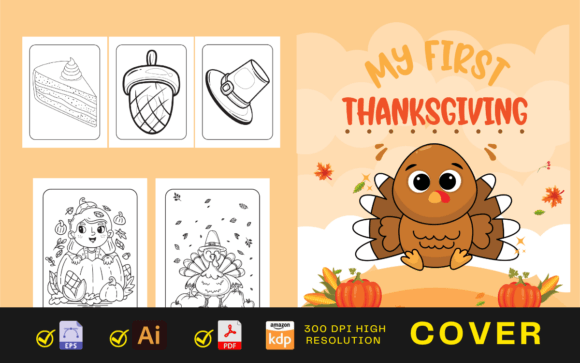
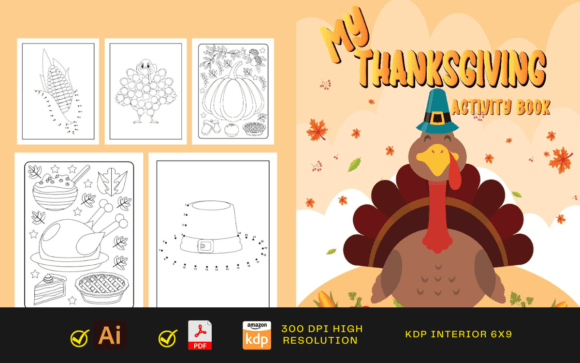
When you download a collection of Thanksgiving dot to dot and dot marker pages, you're receiving more than a stack of printable sheets. You gain a versatile set of digital assets ready to be dropped into a publishing pipeline, a classroom curriculum, or a family activity plan. The product typically includes fifty-four pages sized at 8.5 by 11 inches with no bleed, delivered in PDF, AI, and PNG formats—all KDP tested. Understanding how these files work within different workflows helps you move from a raw download to a polished outcome without wasted time.
The core value lies in the dual nature of the content. Dot to dot pages build number sequencing and hand control as users connect numbered points to reveal turkeys, pumpkins, cornucopias, and autumn leaves. Dot marker pages offer larger circles designed for dauber-style markers or finger painting, encouraging color recognition and grip strength. Together they serve a wide age range, from preschoolers practicing fine motor skills to older children who enjoy creating low-mess art during holiday gatherings. For the creator, these files are not a finished book but a foundation that requires arrangement, customization, and quality checks before reaching the end user.
What You Actually Get with the Digital Files
Before integrating anything into your own process, it helps to understand exactly what the download contains. The PDF is the print-ready interior, already formatted to KDP specifications with correct margins and page order. You can upload this directly to Amazon's platform if the content matches your needs. The AI file—Adobe Illustrator source—gives full editing access. Change colors, swap graphics, add your logo, or combine pages with other seasonal activity sets. The PNGs break each page into an individual image file, useful for creating social media previews, alternate print sizes, or digital sharing via tablet apps. Having all three formats means you're not locked into a single delivery method.
The 8.5 by 11 inch dimensions match standard letter-size paper, which simplifies home printing and bulk retail packaging. No bleed means you won't lose content near the edges, and alignment stays predictable across different print setups. Fifty-four pages provide enough variety to fill a complete activity book without feeling repetitive. The Thanksgiving theme runs consistently through all pages, making it easy to bundle with similar seasonal products or to slot into a holiday unit study.
Where This Product Fits Into a Broader Project or Curriculum
For KDP publishers, this collection becomes a low-content book interior in minutes. It can stand alone as a dot marker and dot to dot activity book or act as one component inside a larger Thanksgiving bundle that includes coloring pages, mazes, or journal prompts. The AI file lets you adjust page sequence so dot to dot exercises alternate with dot marker activities, creating a rhythm that holds a child's attention longer. You might place simpler dot marker pages early in the book, progress to dot to dot puzzles with higher numbers, and end with combined challenges that use both skills.
Teachers and homeschooling parents approach these pages as learning center materials rather than passive entertainment. A dot to dot turkey reinforces counting to twenty or fifty. A dot marker pie sheet becomes a color-mixing lesson when children layer red and yellow dots to make orange. Because the files arrive in PNG format, you can pull individual pages into morning work packets, early finisher folders, or digital slide presentations without printing the entire book. This flexibility saves preparation time during an already busy November.
Occupational therapists and early childhood specialists use dot marker pages to target specific hand muscle groups. By choosing which sheet to present and what tool to pair it with—chunky markers, fingertip sponge brushes, or even stickers—they adjust the fine motor challenge. Dot to dot activities add a visual tracking component that supports reading readiness. The same PDF that a publisher uploads to KDP also serves as an assessment tool in a clinical setting, demonstrating the cross-functional design of well-structured printable resources.
Integrating Dot Pages Before, During, and After Key Processes
In a publishing workflow, the phase before upload is critical. Open the AI file, scan for any stray anchor points, and confirm that all fonts are outlined and compatible. Run a test print of the PDF from a home printer to check that dot placement doesn't clip and that lines remain crisp. During the KDP upload, preview the interior page by page in the cover creator to catch any automatic margin adjustments. After the book goes live, keep the source files organized for the next season; you may want to create a matching Christmas or Halloween version, and having the AI template speeds up that derivative work.
In a classroom, a teacher might introduce dot marker pages during a Thanksgiving theme unit while reading aloud a story about harvest traditions. The activity quiets hands and engages visual learners without pulling attention from the narrative. Later, dot to dot sheets can serve as a math warm-up or transition tool after recess. Post-activity, the completed pages become wall displays, portfolio entries, or take-home crafts that connect school learning with family conversations. A digital collection of completed pages photographed and shared in a parent newsletter becomes evidence of skill progression, not just busy work.
For parents planning Thanksgiving gatherings, these pages solve a common problem: how to occupy children while adults cook and socialize. Print a stack of dot marker sheets, set out washable daubers at a kid-height table, and let children rotate through the pages as they wish. The no bleed format means any stray marks won't ruin a second side if you print duplex. After the meal, dot to dot sheets with more complex numbers can pull in older siblings or even adults looking for a calm activity. The final products often end up as placemats or thank-you cards, extending the project's life beyond a single afternoon.
Interactions with Other Tools, Software, and Physical Materials
The AI source file works inside Adobe Illustrator and most compatible vector editing programs. You can adjust line weight, recolor elements to match a brand palette, or combine pages from multiple seasonal sets into a single year-round activity book. If you use a Canva or Affinity Publisher workflow for interiors, the PNG files import directly and resize without significant quality loss. A common tactic is to lay out the PDF as the primary interior, then pull a few PNGs into a lead magnet or email opt-in bonus—five free Thanksgiving dot marker pages for newsletter subscribers—using a different platform.
On the physical side, dot marker pages demand specific consumables. Dauber markers, bingo bottles, and mini stampers work best when the circle diameters on the page match standard marker tip sizes. Testing a single printed sheet with the brand of markers you intend to recommend (or that your customers likely own) prevents frustration. Some creators add a page recommending compatible markers inside the book or in the product description. Dot to dot pages require only a pencil or crayon, but laminating a few copies and using dry-erase markers turns them into reusable center activities—a detail worth mentioning in a classroom integration guide or product listing.
These files also interact with your file storage and organization system. Consistent naming conventions—such as "Thanksgiving_DotMarker_pg01.png"—simplify later retrieval when building ad creatives or updating product bundles. If you collaborate with other creators, the AI file becomes a shared asset that multiple people can edit non-destructively as long as layers are properly structured. Keeping a changelog within the AI file metadata or a separate readme prevents version confusion.
Implementation Tips for Consistent, High-Quality Results
When preparing the PDF for KDP, verify that all pages are in the correct order and that no blank pages interrupt the flow. An odd page count can cause display errors; fifty-four pages is even, which avoids that problem. However, printing a paper proof before ordering a large batch of author copies reveals issues that screen previews miss, such as dot marker circles printing darker than expected on certain inkjet papers. Adjust the AI file's stroke fills to percent black rather than rich black if bleed-through is a concern on thin stock.
For educators, creating pre-sorted packets saves instructional minutes. Print different sets of ten pages each, staple them into mini booklets, and label them by difficulty. A quick page-numbering system in the AI file before exporting makes this organization easier. Adding a small "page x of 54" footer in the source file creates a professional touch and helps children stay oriented, especially when pages get shuffled. Store printed masters in clear sleeves inside a binder, pulling copies as needed rather than reprinting the entire document every season.
Long-term usability hinges on thoughtful customization. If you plan to sell the book under multiple brand names, the AI file allows you to swap the cover graphics and interior credits without rebuilding from scratch. For a therapy setting, creating a progress-tracking sheet that references specific page numbers from the collection turns the activity into a measurable intervention. The PNG files can also be embedded into communication boards or choice cards for children who benefit from visual schedules, extending the resource well beyond its original intent.
Organizing Your Files and Workflow for Long-Term Use
After downloading, create a master folder that houses the raw PDF, AI, and PNG subfolders. Duplicate the AI file immediately, label one copy "Original_Master" and another "Working_Edit." Make all changes in the working copy so you always have a clean reset point. Within the PNG folder, consider creating subsets by page type—all dot marker pages in one directory, all dot to dot in another—to speed up selection when assembling derivative products like sampler packs or custom bundles.
If you release a series of themed activity books, maintaining visual consistency across them builds recognition. The AI file provides a template you can reuse by swapping Thanksgiving-specific graphics for winter or spring themes while preserving the same circle sizes, line thicknesses, and page margins. This approach reduces design time for future releases and helps customers who buy multiple seasonal books see a cohesive product line.
Quality control at the file level prevents downstream headaches. Before sending AI files to a collaborator or uploading a final PDF, run a checklist: Are all images embedded or linked paths resolved? Are any hidden layers accidentally left visible? Does the PDF open correctly in both Adobe Acrobat and a standard browser viewer? For the PNGs, verify that the resolution remains at least 300 DPI at the intended print size to avoid pixelation. Catching these details early means the end user—whether a parent, teacher, or KDP customer—receives a clean, professional experience.
Practical Adjustments for Different Audiences and Goals
Not every user needs the same outcome from these files. A freelance designer might license the collection, extract the PNGs, and create a physical sticker activity kit sold on Etsy. A blogger could use five PNGs as content upgrades within a Thanksgiving roundup post, driving email signups. A grandparent might print the entire PDF, bind it at a local copy shop, and give it as an early holiday gift that keeps grandchildren engaged during travel. The product's structure supports all these applications without requiring a different file set for each path.
The key difference lies in the editing and delivery choices. Designers will spend more time in the AI file, moving elements and creating new compositions. Print-on-demand sellers will focus on the PDF and cover file, testing paper options against Amazon's print quality standards. Direct consumers will likely never open the AI file but will judge the product on the clarity of the printed pages and the appeal of the artwork. A well-prepared file package accounts for all these touchpoints by providing clean vectors, correctly sized pages, and a logical arrangement that requires minimal adjustment at the user's end.
Whichever direction you take, these Thanksgiving dot to and dot marker pages slot into a process that is already familiar: you plan a seasonal activity or product, gather resources, test materials, deliver the experience, and refine for the next iteration. Having the source files ready to edit, print, and share removes the friction of starting from nothing. That makes the difference between a last-minute scramble and a smooth seasonal execution, year after year.